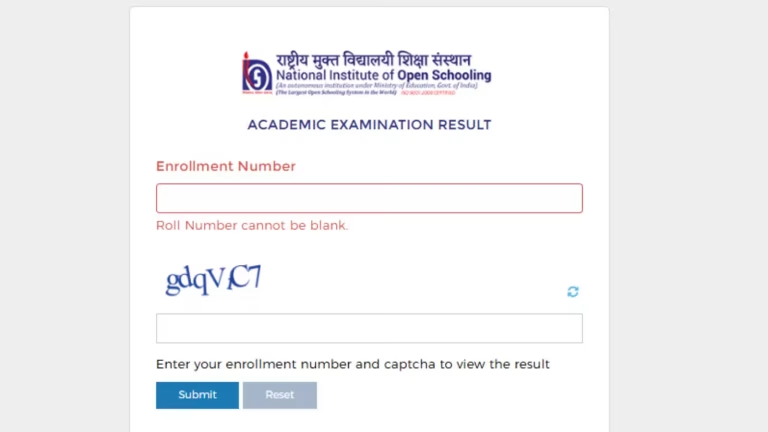
The National Institute of Open Schooling (NIOS) has officially declared the Class 12 (Senior Secondary) public examination results for the April/May 2026 session. Students who appeared for these board examinations can now access and download their scorecards online. The digital mark sheets are available on the official NIOS result portals at nios.ac.in and results.nios.ac.in.
To smoothly access the online portal, students must keep their unique enrollment numbers and official admit cards handy. According to NIOS passing criteria, students are required to secure a minimum of 33% marks in at least five subjects (including both theory and practical components where applicable) to be declared successful in the Senior Secondary board exams.
How to Check Your NIOS Class 12 Scorecard Online
Students can check their public examination results by following this simple procedural guide:
1.Visit the Portal:Step 1.
Open your web browser and navigate to the official NIOS results dashboard at results.nios.ac.in or the primary institutional website nios.ac.in.
2.Locate the Link:Step 2.
On the homepage, locate and click on the prominent text link labeled “Class 12 Public Examination Result (April/May 2026)”.
3.Enter Enrollment Details:Step 3.
Type your official Enrollment Number accurately into the designated field, complete the visual captcha verification challenge, and click on ‘Submit’.
4.Download and Save:Step 4.
Your digital senior secondary scorecard will appear on the screen. Carefully verify your details, print a physical copy, and save the PDF file for future academic references.
Crucial Post-Result Timeline & Resolution Windows
For students seeking scrutiny or those who spot errors on their scorecards, NIOS has outlined a strict timeline for rechecking, re-evaluation, and data corrections:
| Academic Resolution Type | Portal Availability Date | Active Window Duration | Primary Contact / Platform |
| Rechecking & Re-evaluation | Opens June 10, 2026 | 15 Days | Student Portal: sdmis.nios.ac.in |
| Official Result Discrepancy Correction | Opens June 10, 2026 | 30 Days | Student Dashboard Application |
| General Result Grievances | Active Immediately | Continuous | Official Email: rcell@nios.ac.in |
Steps to Apply for NIOS 12th Result Correction
If you notice data errors on your marksheet, follow these steps via the student portal starting June 10, 2026:
- Log In: Access your personal student dashboard at sdmis.nios.ac.in.
- Select Subject: Navigate to the Result Correction tab and select the subject that requires modification.
- Choose Error Category: Select the relevant correction type from the official list:
- Practical marks not included in the final tally
- Tutor Marked Assignment (TMA) marks missing
- Transfer of Credit (TOC) marks missing
- Marked “ABSENT” in a theory paper despite physically appearing for the exam
- Processing Fee: Select an online payment gateway to clear the required processing fee (note that each selected correction parameter is charged separately).
- Track Status: Save your digital payment receipt. You can systematically monitor the progress of your verification request under the “My Request” section of the Result Correction tab.
Important Note: Students can collect their physical, hard-copy marks statement-cum-certificate and migration-cum-transfer certificates from their respective regional study centers completely free of cost. Do not pay any external processing fees to local centers for physical document distribution.