
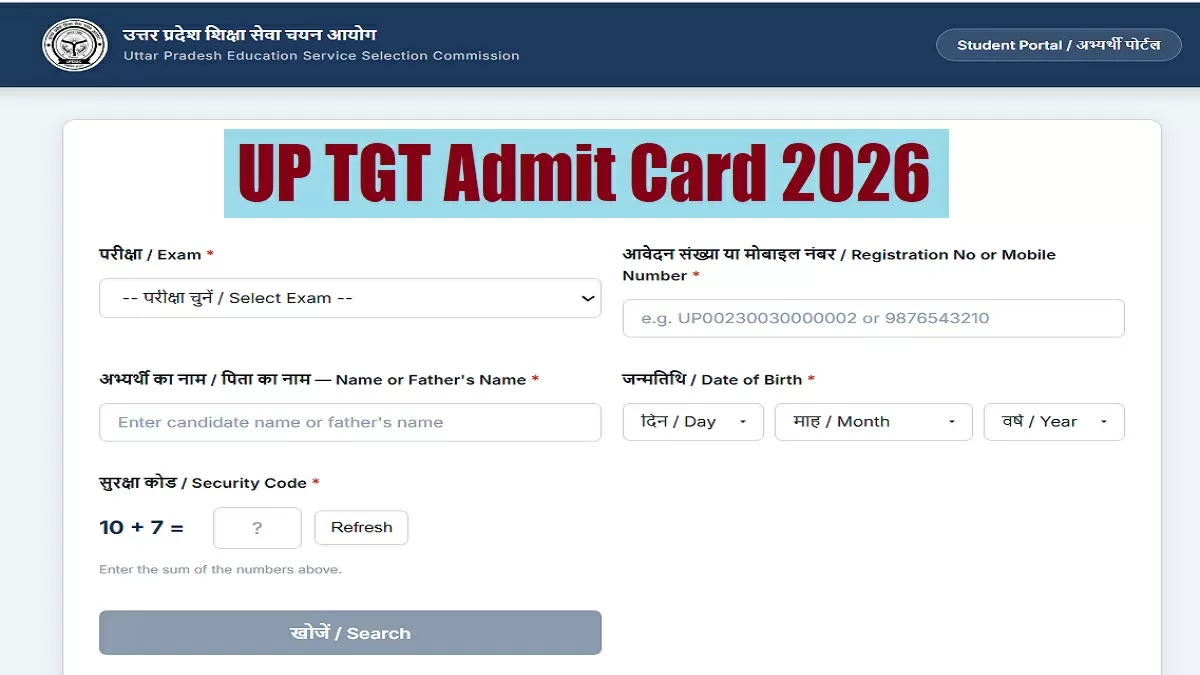


The Uttar Pradesh Education Service Selection Commission has released the UP TGT Admit Card 2026 on its official website. Candidates who have registered for the Trained Graduate Teacher (TGT) recruitment examination can now access and download their hall tickets online.
The admit card is a mandatory document for appearing in the examination and contains important information such as exam date, shift timing, reporting time, exam center details and candidate information.
Candidates are advised to download their hall ticket as early as possible and carefully verify all the details mentioned on it.
UP TGT Admit Card 2026: Key Highlights
| Particulars | Details |
|---|---|
| Conducting Authority | Uttar Pradesh Education Service Selection Commission (UPESSC) |
| Post Name | Trained Graduate Teacher (TGT) |
| Advertisement Number | 01/2022 |
| Total Vacancies | 3,539 |
| Registered Candidates | 8,68,531 |
| Admit Card Status | Released on May 30, 2026 |
| Exam Dates | June 3 and June 4, 2026 |
| Exam Mode | Offline (OMR-Based) |
| Exam Centers | 614 Centers Across 36 Districts |
UP TGT 2026 Exam Schedule and Shift Timings
Candidates must check the shift mentioned on their admit card and report to the examination center well before the reporting time.
June 3, 2026 (Wednesday)
Morning Shift (09:30 AM – 11:30 AM)
- Social Science
- Physical Education
- Science
Afternoon Shift (02:30 PM – 04:30 PM)
- Hindi
- Mathematics
- Agriculture
- Vocal Music (Sangeet Gayan)
June 4, 2026 (Thursday)
Morning Shift (09:30 AM – 11:30 AM)
- English
- Home Science
- Biology
- Instrumental Music (Sangeet Vadan)
Afternoon Shift (02:30 PM – 04:30 PM)
- Sanskrit
- Commerce
- Art
How to Download UP TGT Admit Card 2026
Candidates can download their hall ticket by following these simple steps:
Step 1
Visit the official UPESSC website:
Step 2
Click on the “Candidate Login” or “Login” option available on the homepage.
Step 3
Enter your:
- Registration Number, Email ID, or Mobile Number
- Password
Step 4
Click on the Login button.
Step 5
Open the “Admit Card” or “Hall Ticket” section from your dashboard.
Step 6
Download the admit card PDF and save it.
Step 7
Take a clear printout for use on the examination day.
Forgot Your Password? Here’s How to Reset It
Candidates who cannot access their account can reset their login credentials through the official portal.
Follow these steps:
- Visit the UPESSC website.
- Click on “Forgot Password” or “Login Help.”
- Enter your registration number or email ID.
- Verify your identity using the OTP sent to your registered mobile number or email address.
- Create a new password and log in again.
Details Mentioned on UP TGT Admit Card
After downloading the hall ticket, candidates should carefully check the following information:
- Candidate’s Name
- Father’s Name
- Registration Number
- Application Number
- Date of Birth
- Category
- Subject Applied For
- Examination Date
- Shift Timing
- Examination Center Name
- Examination Center Address
- Photograph
- Signature
If any information is incorrect, candidates should immediately contact UPESSC for correction.
Common Problems While Downloading the Admit Card
Due to heavy traffic on the website, some candidates may face temporary issues while downloading their hall tickets.
If this happens:
- Refresh the page and try again.
- Clear browser cache and cookies.
- Verify login credentials carefully.
- Use an alternative browser such as Chrome or Firefox.
- Try downloading during non-peak hours.
- Ensure your internet connection is stable.
Exam Day Guidelines
Candidates must follow all instructions issued by UPESSC to avoid any inconvenience at the examination center.
Documents to Carry
- Printed UP TGT Admit Card
- Attendance Sheet (if applicable)
- Two self-attested passport-size photographs
- Valid Government Photo ID (Aadhaar Card, Voter ID, PAN Card, Driving License, etc.)
Items Not Allowed Inside the Exam Hall
- Mobile phones
- Smartwatches
- Bluetooth devices
- Electronic gadgets
- Books and study material
- Notes or loose papers
- Bags and pouches
- Food items and beverages (unless specifically permitted)
- Any prohibited or suspicious item
Important Advice for Candidates
With more than 8.6 lakh candidates expected to appear for the examination, candidates should plan their travel in advance and reach the examination center well before the reporting time.
Furthermore, candidates should keep multiple printed copies of their admit card ready to avoid last-minute issues.