
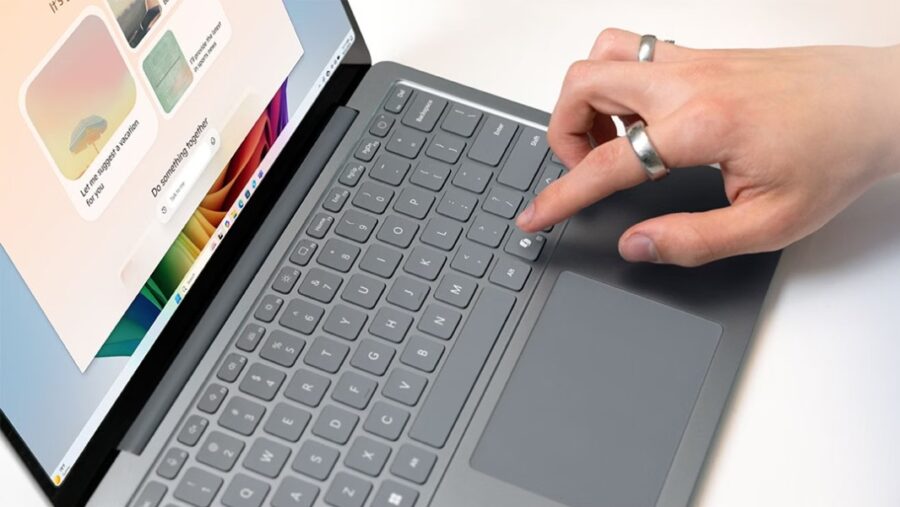


Back when Microsoft was going all-in on Copilot, we saw a massive update to the Windows keyboard. This change marked the first major layout adjustment in decades. Specifically, the update took the Right Ctrl key and turned it into a dedicated Copilot key. The design choice aimed to give users easy access to Microsoft’s AI assistant. With just one press of the button, the digital assistant would instantly pop up on screen.
Fast forward to today, and Microsoft is navigating a significant AI pivot. The tech giant experienced a wake-up call around the end of 2025. Company leaders realized that users did not want to sacrifice Windows 11’s overall quality just to force AI features. In response, the company launched Windows K2. This internal initiative aims to roll back unnecessary Copilot integrations while simultaneously fixing some of Windows 11’s biggest lingering performance issues. Now, Microsoft has officially announced it is finally giving users the ability to revert the Copilot key back to its old functionality.
Microsoft Admits the Copilot Key Broke Core Workflows
As originally spotted by tech outlet Windows Central, Microsoft has published some revealing new documentation on its official website. The support article is titled “Understand updates to the Copilot key on Windows devices.” Within the text, the company clearly lays out how the Copilot key came to be, the technical problems it faced, and what Microsoft is doing to fix it.
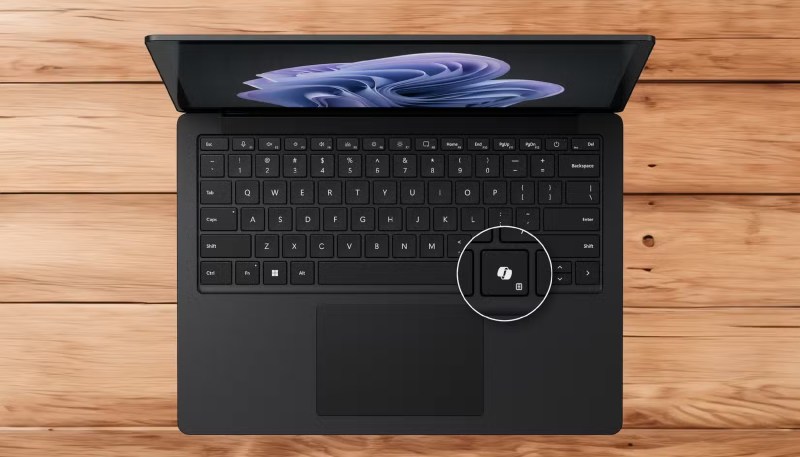
As it turns out, changing a long-standing keyboard staple into an AI-only button caused major issues for everyday users. Starting in 2024, hardware manufacturers released new Windows 11 devices that included a dedicated Copilot key to provide quick access to Copilot experiences in Windows. However, this Copilot key often replaced the Right Ctrl key or the classic Context Menu key on select laptops and keyboards.
Keyboard Layout Evolution     User Experience Impact
─────────────────────────     ──────────────────────
• Classic: Right Ctrl Key      • Broke traditional shortcuts
• 2024: Copilot Key Swapped   • Disrupted accessibility tools
• 2026: Remapping Option      • Restores custom workflows
Customers who rely heavily on the Right Ctrl key or the Context Menu key for advanced keyboard shortcuts quickly experienced challenges. Furthermore, individuals using vital assistive technologies, such as screen readers for the visually impaired, found their regular workflows completely disrupted by these new hardware layouts.
A Future Windows 11 Update Will Offer a Solution
To remedy these layout issues, Microsoft says it will push a major Windows 11 update later this year. This upcoming software patch will introduce a highly requested setting directly into the operating system’s interface.
Users will be able to navigate to the Settings > Bluetooth & devices > Keyboard screen. From there, a new toggle will let anyone remap the Copilot key to either the traditional Context Menu key or the standard Right Ctrl key.
How to Restore the Right Ctrl Key (Upcoming Update)
───────────────────────────────────────────────────
1. Open the Windows 11 Settings app.
2. Click on the "Bluetooth & devices" section.
3. Select the "Keyboard" options menu.
4. Locate the "Copilot Key Remapping" dropdown.
5. Choose "Right Ctrl" or "Context Menu" to save.
Microsoft has not yet given an exact release date for when this specific update will roll out to the public. Regardless of the timeline, tech enthusiasts and office workers whose workflows were ruined by the sudden addition of the Copilot key will certainly look forward to its release.